By Dineke & AJ · October 2026
Forward it on WhatsApp, find it in parte.
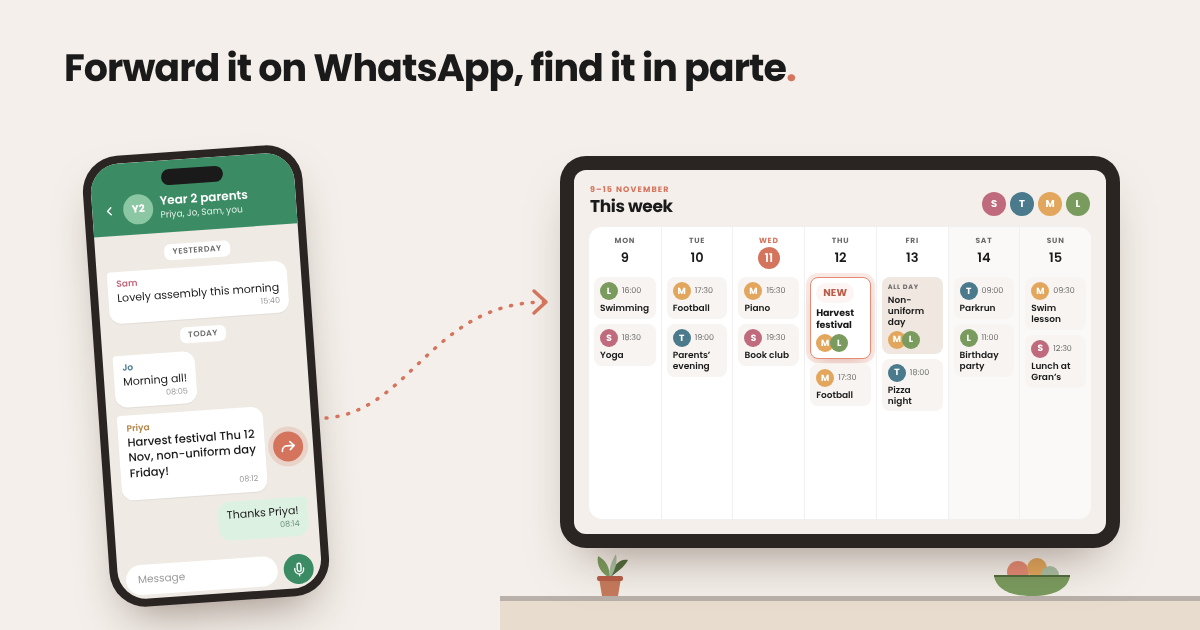
The school WhatsApp group pings at 9.47pm. Someone's posted the date of the harvest festival, a reminder about non-uniform day, and a photo of a party invite. You read it, think "I must remember that", and put your phone down. By morning it's buried under forty "thanks!" and a thumbs up.
We know this moment well. It's one of the reasons we built parte., our AI family assistant — and it's why forwarding from WhatsApp has quietly become one of our favourite features.
How it works: just forward it
There's nothing new to learn. If you can forward a message, you can use it.
-
1. Save parte. as a contact
Add your phone number in parte.'s settings and we'll send you a hello on WhatsApp. Save that chat as a contact.
-
2. Forward the message
When a message lands with a date, a task or a plan in it, forward it on.
-
3. parte. does the rest
parte. reads it, picks out what matters — the what, the when, the where — and adds it to your family calendar or task list.
That's it. No retyping, no copying dates across, no switching between apps. It works on photos and screenshots too, so that party invitation or club timetable someone shared as a picture still ends up in the right place.
And because parte. is shared, it doesn't just land on your phone. It shows up on the iPad in the kitchen, on your partner's phone and, if you co-parent through a household link, in the other house too.
Our favourite trick: WhatsApp on your laptop
Here's something we didn't expect. One of us has WhatsApp open in the browser most of the working day, and that's where this feature really shines.
When you're at your desk, WhatsApp Web makes forwarding almost effortless. Hover over the message, click the little arrow, choose Forward and pick parte. Done in seconds — without picking up your phone or breaking your focus.
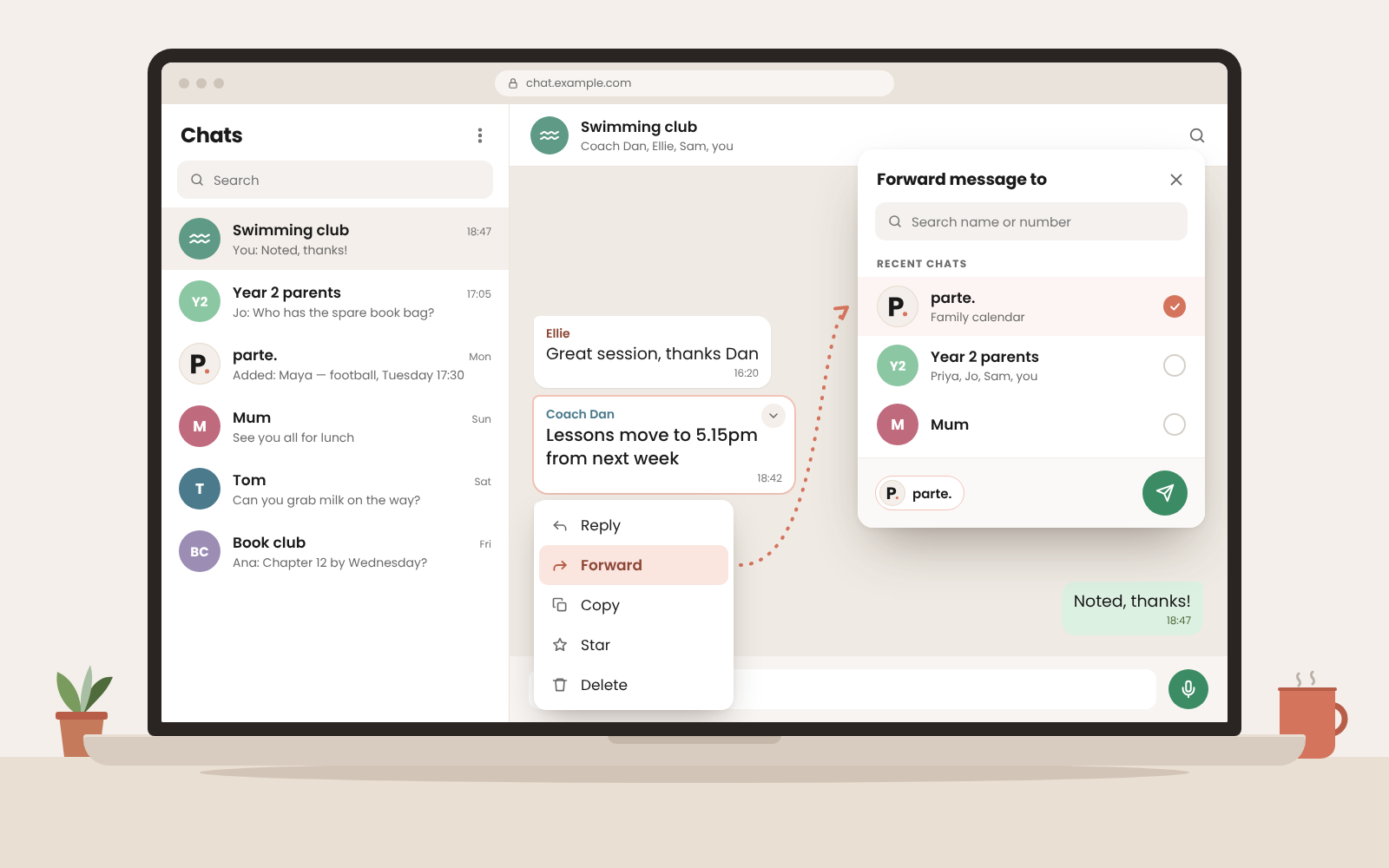
It's perfect for those moments in the middle of the working day when the school, the swimming club or the group chat sends something you'll need later. Instead of leaving a tab open "to deal with tonight", it's already sorted. You can even select several messages at once and forward them together.
The mental note you used to carry around all afternoon? You don't have to carry it anymore.
New: just say it
We've just added voice notes, and we already can't imagine parte. without them.
Sometimes there's nothing to forward. The thought is only in your head — on the school run, pushing the trolley round the supermarket, or halfway up the stairs with a laundry basket. Now you can open WhatsApp, hold the microphone button and say it out loud. "Dentist on Tuesday at half three." "Order the birthday cake by Friday."
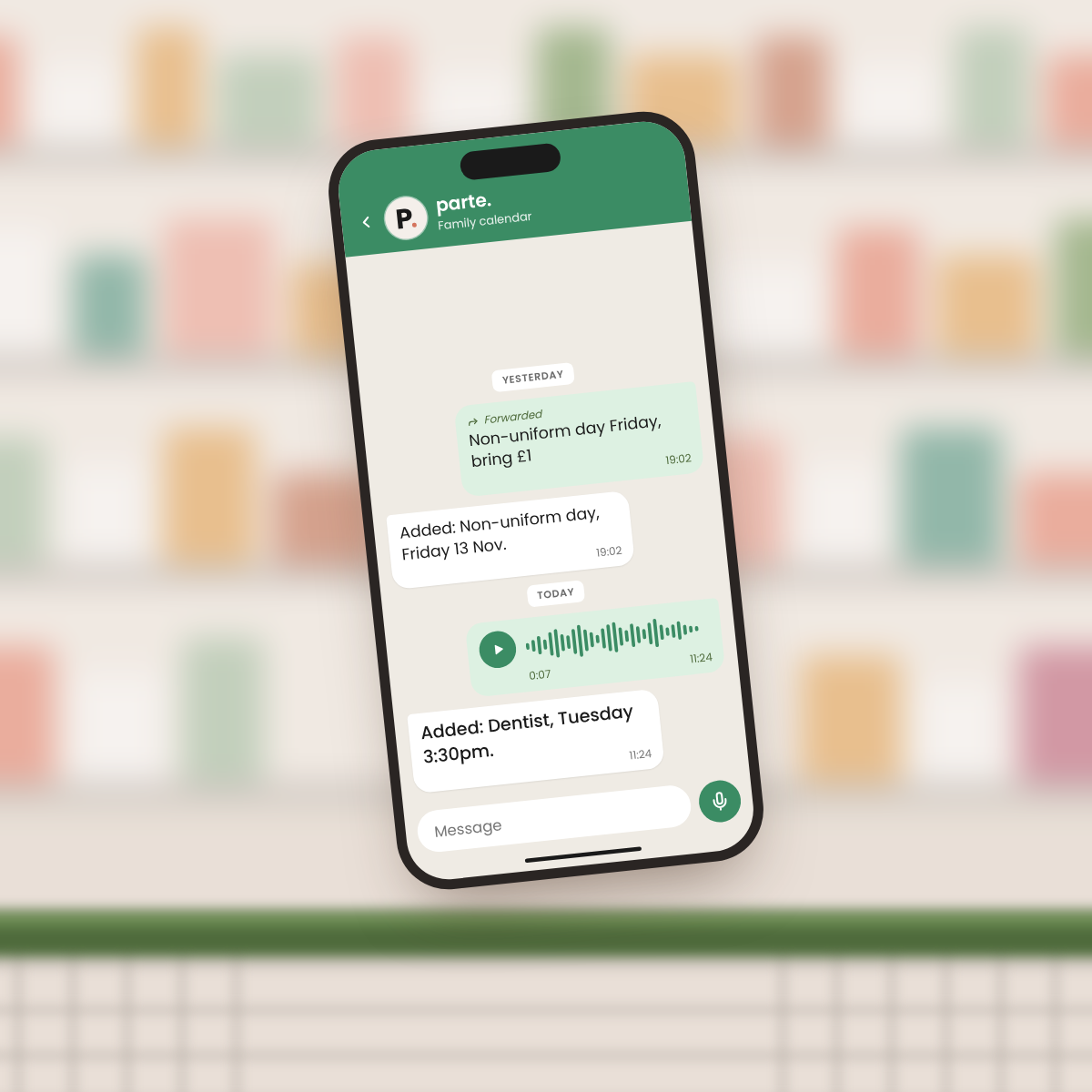
parte. listens, works out what you meant and puts it in the calendar or task list, just like a forwarded message. No typing, and your hands are free again in seconds.
Voice notes from your partner, a grandparent or the childminder work too. Forward them on and parte. does the listening for you.
What we forward most
A few real-life examples from our own week:
- • The class group chat: non-uniform days, trip dates, "bring a costume on Friday"
- • Party invitations: often sent as a photo, which parte. reads just as well
- • Clubs and lessons: changed times, cancelled sessions, show and performance dates
- • Messages from family: "Sunday lunch at ours, 1pm?"
- • Little to-dos: "Can you send the form back by Wednesday?" becomes a task, not a worry
- • Voice notes to ourselves: the thoughts that pop up while driving or cooking
If it has a date, a time or something someone needs to do, it belongs in parte.
Give it a try
Next time a message makes you think "I must remember that", forward it to parte. instead. Try it from your phone, then try it from WhatsApp in your browser and see which you prefer. We have a feeling you'll be hooked.
Not using parte. yet? It's free to start — download it on the App Store, and tomorrow's 7am summary will already know about the harvest festival.
Less remembering. More living.
Dineke & AJ